
Smartphones now hold an enormous amount of personal information, from private conversations and photographs to emails, social media accounts, financial details, and important documents. Because people carry these devices everywhere, the possibility of someone accessing a phone without permission has become a genuine privacy concern. A forgotten phone on a desk, a device left unattended at home, or a handset borrowed by someone else can create an opportunity for unauthorized access. This is where security tools such as WTMP, also known as “Who Touched My Phone?”, can be useful. The app is designed to help users identify activity on their device when they are away from it by recording information about attempts to interact with the phone.
WTMP works around a simple idea: alerting you when someone handles or attempts to access your smartphone without your knowledge. Depending on the device and the permissions available to the app, it can use features such as the camera and other device functions to record activity after a triggering event. This can give users useful information when they suspect that someone has been checking their phone. The app can be particularly relevant for people who regularly leave their smartphones unattended and want an additional layer of awareness. However, it should not be treated as a replacement for the security measures already built into modern smartphones. A strong screen lock, biometric authentication, updated software, secure passwords, and careful control of app permissions remain essential parts of protecting personal information.
Before relying on any security application, users should also understand what access it requests and how the collected information is handled. Apps that use camera, storage, notification, or other sensitive permissions can require substantial access to a device, so checking the developer’s privacy information and reviewing permissions is important. Users should also keep in mind that no security application can guarantee that every unauthorized interaction will be detected. Phone settings, operating-system restrictions, battery-saving features, permissions, and other technical limitations can affect how an app operates. WTMP can therefore be viewed as an additional monitoring tool rather than a complete smartphone security solution. Used alongside the phone’s built-in protections, it may help users become more aware of unexpected activity and take action when something appears unusual.
Understanding the WTMP App
The “WTMP — Who Touched My Phone?” app is a security application designed specifically for Android smartphones. Its primary function is to enhance the security of the device by proactively detecting and documenting unauthorized access attempts.
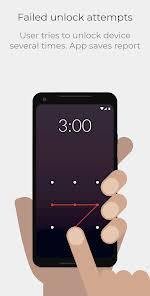
When someone attempts to unlock the device using an incorrect PIN, pattern, or password, the app triggers the front camera to capture a photo of the individual. This photo serves as visual evidence of the unauthorized access attempt and is securely stored within the app.
Additionally, the app maintains a detailed log of all access attempts, recording essential information such as the date, time, and type of authentication method used. Users can review this log to track patterns of unauthorized access and identify potential security vulnerabilities.
The WTMP app also offers a stealth mode feature, which allows it to operate discreetly in the background without displaying visible indicators or notifications. This ensures that potential intruders are unaware of the app’s presence, enhancing its effectiveness as a security measure.
Overall, the WTMP app provides users with a proactive and customizable security solution for safeguarding their Android smartphones against unauthorized access.
Key Features of the WTMP App
The “WTMP — Who Touched My Phone?” app incorporates several key features that distinguish it as a robust security solution for Android smartphones. These features are designed to provide users with comprehensive protection against unauthorized access and enhance their overall security posture:
- Unauthorized Access Detection: The primary function of the WTMP app is to detect unauthorized attempts to access the smartphone. Whether it’s an incorrect PIN, pattern, or password, the app triggers the front camera to capture a photo of the individual attempting to unlock the device. This proactive approach serves as a powerful deterrent to potential intruders, discouraging them from further attempts to breach the device’s security.
- Photo Evidence Capture: Alongside recording the time of the access attempt, the app captures visual evidence in the form of photos taken during unauthorized access. These photos are securely stored within the app and can be accessed by the device owner for further investigation. The ability to capture photographic evidence enhances the app’s effectiveness in documenting security breaches and identifying intruders.
- Log of Access Attempts: The WTMP app maintains a detailed log of all access attempts made to the smartphone. This log includes essential information such as the date, time, and type of authentication method used during each attempt. By reviewing this log, users can track patterns of unauthorized access and gain insights into potential security vulnerabilities. Additionally, the log serves as valuable documentation for auditing purposes or legal proceedings in the event of a security breach.
- Stealth Mode: For added discretion, the WTMP app offers a stealth mode feature that conceals its presence on the device. When enabled, the app operates discreetly in the background without displaying any visible indicators or notifications. This ensures that potential intruders remain unaware of the app’s existence, thereby increasing its effectiveness as a security measure. The stealth mode feature enhances user privacy and maintains the element of surprise against unauthorized access attempts.
- Customization Options: Users can customize various settings within the app to tailor it to their specific security needs and preferences. This includes adjusting the sensitivity of the unauthorized access detection mechanism, enabling or disabling the stealth mode feature, and managing storage settings for captured photos and access logs. By offering customization options, the app accommodates diverse user requirements and enhances its flexibility and usability.
Benefits of Using the WTMP App
Using the “WTMP — Who Touched My Phone?” app offers several key benefits that contribute to enhanced smartphone security and peace of mind for users:
- Deterrence of Unauthorized Access: The primary benefit of the WTMP app is its ability to deter potential intruders from attempting unauthorized access to your smartphone. Knowing that their actions will be recorded and documented through photo evidence, individuals are less likely to try to circumvent the device’s security measures.
- Visual Evidence for Identification: In the event of a security breach, the app provides valuable visual evidence in the form of photos captured during unauthorized access attempts. This evidence can be instrumental in identifying intruders, particularly if the device is lost or stolen. Users can leverage these photos to assist law enforcement authorities in apprehending perpetrators or recovering stolen devices.
- Documentation of Access Attempts: Beyond capturing photos, the WTMP app maintains a detailed log of all access attempts, including the date, time, and type of authentication method used. This log serves as comprehensive documentation of security breaches and allows users to track patterns of unauthorized access over time. By reviewing this information, users can identify potential vulnerabilities in their device’s security and take proactive measures to address them.
- Enhanced Peace of Mind: Knowing that their smartphone is equipped with an additional layer of security, users can enjoy enhanced peace of mind in their daily lives. Whether it’s protecting personal photos, sensitive documents, or financial information, the WTMP app provides reassurance that their data is safeguarded against unauthorized access.
- User-Friendly Interface: The WTMP app boasts a user-friendly interface that makes it easy to set up and configure. Its intuitive design allows users to navigate through its features effortlessly, ensuring a seamless user experience. With straightforward settings and customizable options, users can tailor the app to suit their preferences and security needs without any hassle.
Limitations and Considerations
While the WTMP app offers several benefits in terms of smartphone security, it’s important to acknowledge its limitations and consider potential drawbacks:
- Resource Consumption: Constantly monitoring for unauthorized access attempts and capturing photos can consume battery and storage resources on the device. Users should be mindful of these resource implications and manage them accordingly.
- False Positives: In some cases, the app may trigger false positives, capturing photos when no unauthorized access attempt has occurred. This could be due to environmental factors or user error when entering authentication credentials.
- Privacy Concerns: The collection of photos and access logs raises privacy concerns, particularly regarding the storage and potential misuse of this data. Users should carefully review the app’s privacy policy and take steps to secure their data.
- Compatibility Issues: The WTMP app is specifically designed for Android devices and may not be compatible with all smartphone models or operating system versions. Users should verify compatibility before installing the app.
Conclusion
WTMP, or “Who Touched My Phone?”, is designed to give smartphone users greater visibility into activity that occurs when they are not actively using their devices. Its usefulness depends on the phone, permissions granted, and the conditions under which it operates. For stronger protection, users should combine any monitoring application with a secure screen lock, biometric protection, regular software updates, and careful management of sensitive permissions. Taking these basic precautions can significantly reduce the chances of unauthorized access to personal information.